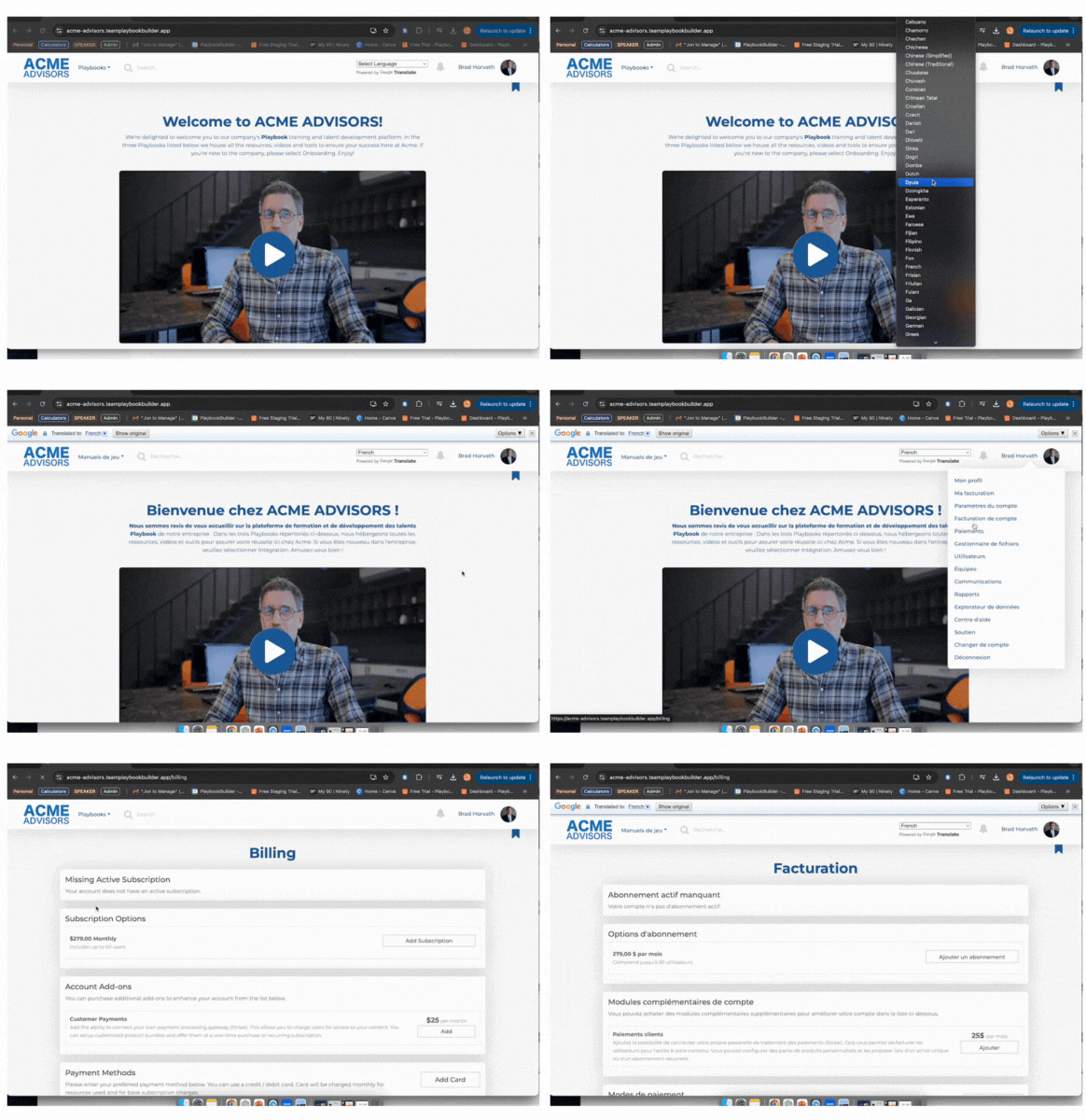
Do you have a need to enable users to customize the language of PlaybookBuilder? You can do that and it’s easy, powerful, and a great new addition. By enabling your users to select their preferred language you’ll enjoy greater adoption, a unique training experience, and a positive impression you can make on your team.
NOTE:
- Each user can select their preferred language – it won’t effect account wide – just for them
- Language changes can be changed at any time – see below for directions
- Language changes include the Admin Functions too!
How to Enable
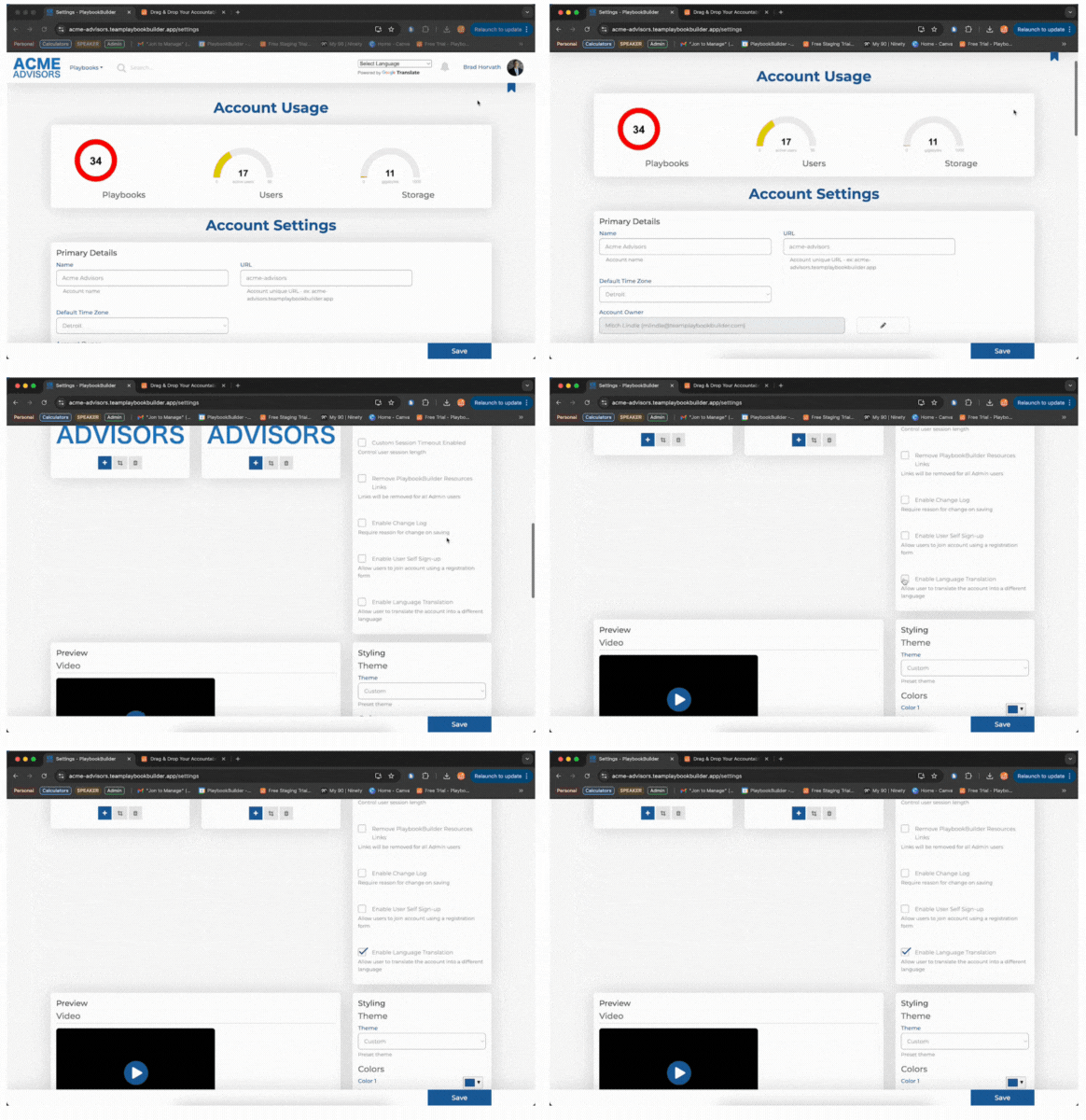
Head over to the Settings Area and have a look on the right side. Click the Enable Language Translation button by clicking in the box. This will effect TWO changes:
- New Users will be asked which language they prefer
- A Language Selector Box will now appear at the top of your pages